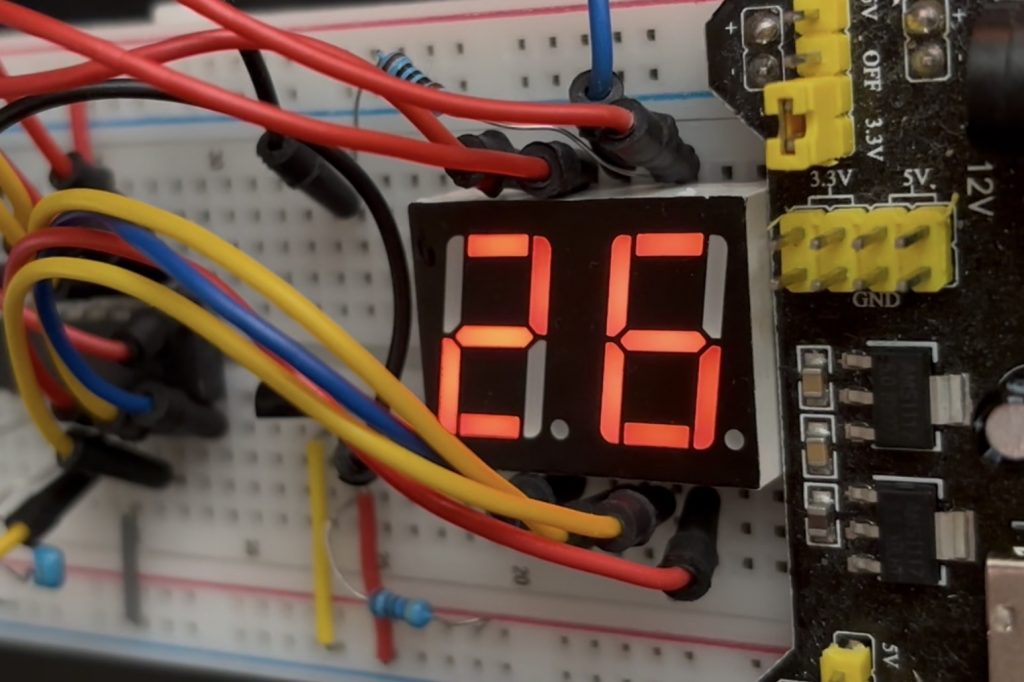
Popular uses for this diy safety thermometer:
dog / cat / pet / baby / greenhouse/ wine cellar / incubator/ elderly fridge freezer temperature monitoring gauge indoor crop planting farming
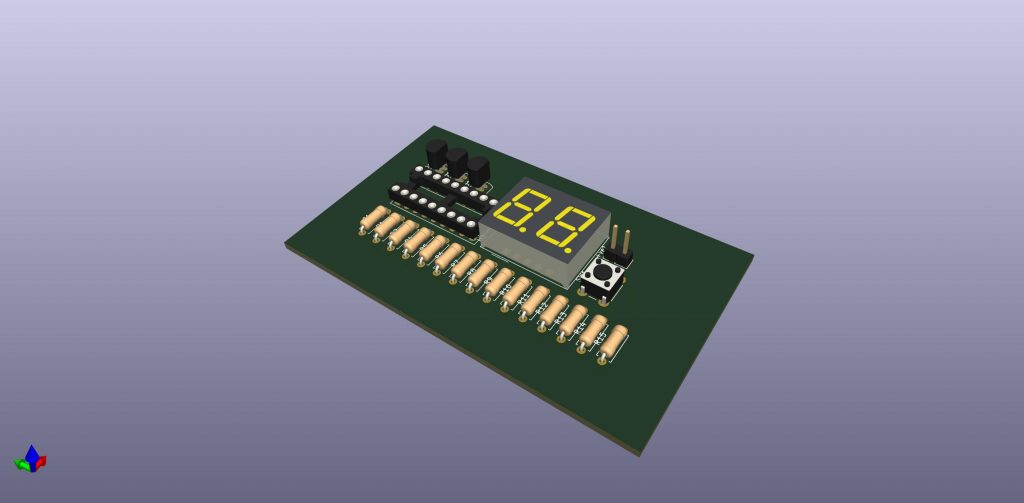
Hello, the much loved Seven Segment Digital Thermometer has been improved upon! This is version 2.0 of TINY Therm. It basically improves its brightness and I provide a pcb design. It also has a push button to display for 3 seconds then the screen turns off to conserve energy. Like this the batteries will last at least 1-2 years continuous use.
So let’s dive straight in. I’m going to emit most of what was spoken about in the previous post regarding this product. Instead I’m going to just dive straight in and give you the schematics, gerber and drill files to upload direct to JLCPCB.com, and the components Bill of materials list.
How to build this in 5 Easy Steps:
Components bill of materials list (BOM):
- You can buy most of these from AliExpress “Choice”. I’ve done the leg work and found the components for to be shipped worldwide, wherever you are. Please support my blog by purchasing from these links below as I get a commission:
- Pre flashed PIC16F628
- Dual 7 Segment Display (common anode). Not common cathode.
- DS18B20
- 0.1uF ceramic capacitor,
- A few resistors per the schematic
- 2 x 2N3906 transistors
Now, The schematic: Follow this diagram on a breadboard if you want to test it before committing to making it on a PCB with soldered components.
4. If you prefer to Fabricate a PCB rather than breadboard it, do the following:
I used JLCPCB. Simply download the Gerber Zipfile below and upload directly to jlcpcb.com to place the order:
All you do is go to https://jlcpcb.com, register for an account then hit “Order Now” at the top. Upload the Gerber zip file as is (no modification work needed) and leave all the other settings the same (i.e quantity 5, 2 layer, etc etc…) They will manufacture it for you and can send it to you within 10 days anywhere in the World (select the cheapest global shipping option) for just £3 for 5 PCB’s, that’s 5 TINY-Therms, Bargain! All you’ll need to do then is solder the components onto the board, attach the battery pack of 3AAA batteries, then fire it up!
5. Solder the components to the board.
6. And that’s it, ENJOY!
Some extra background to this project. The following information is not 100% needed but it may help you understand how I designed this product:
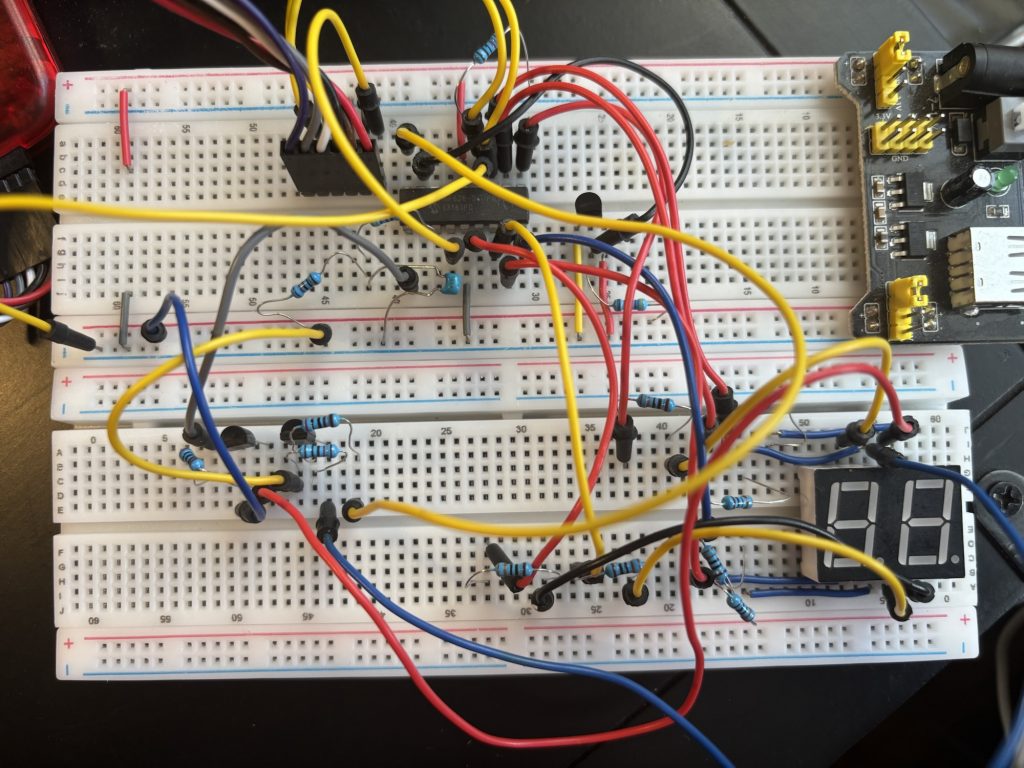
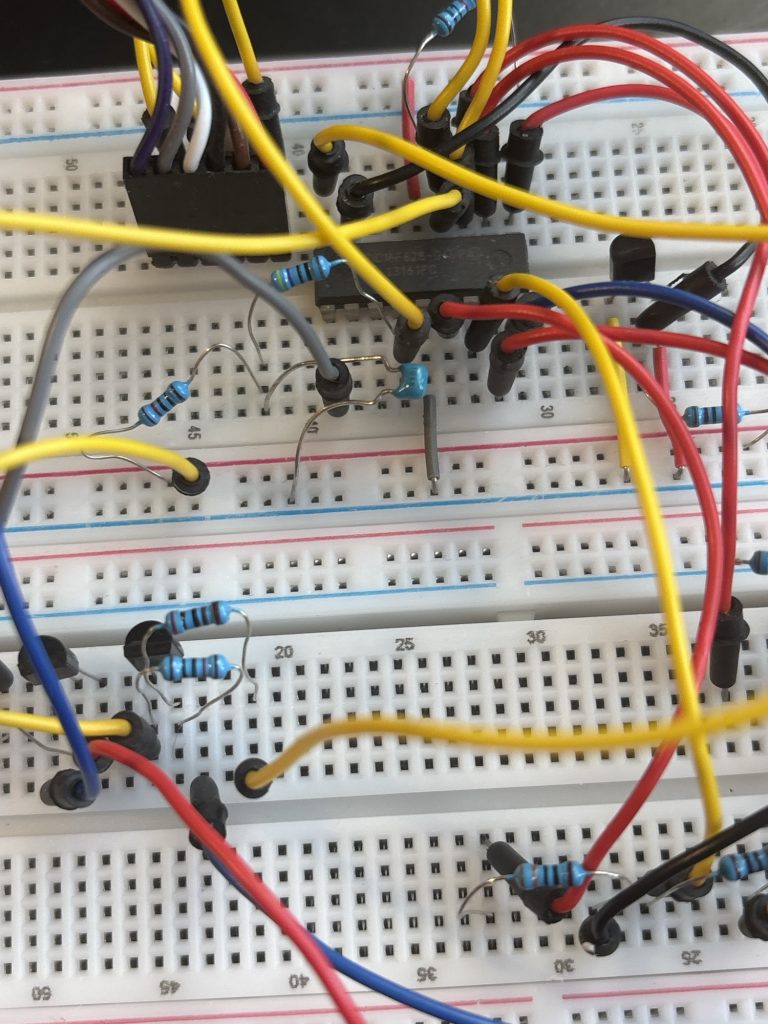
How I prototyped it on a breadboard:
If you like, you can see the breadboard I used to prototype this for your reference:
And this was the original schematic I drew out first for your reference:
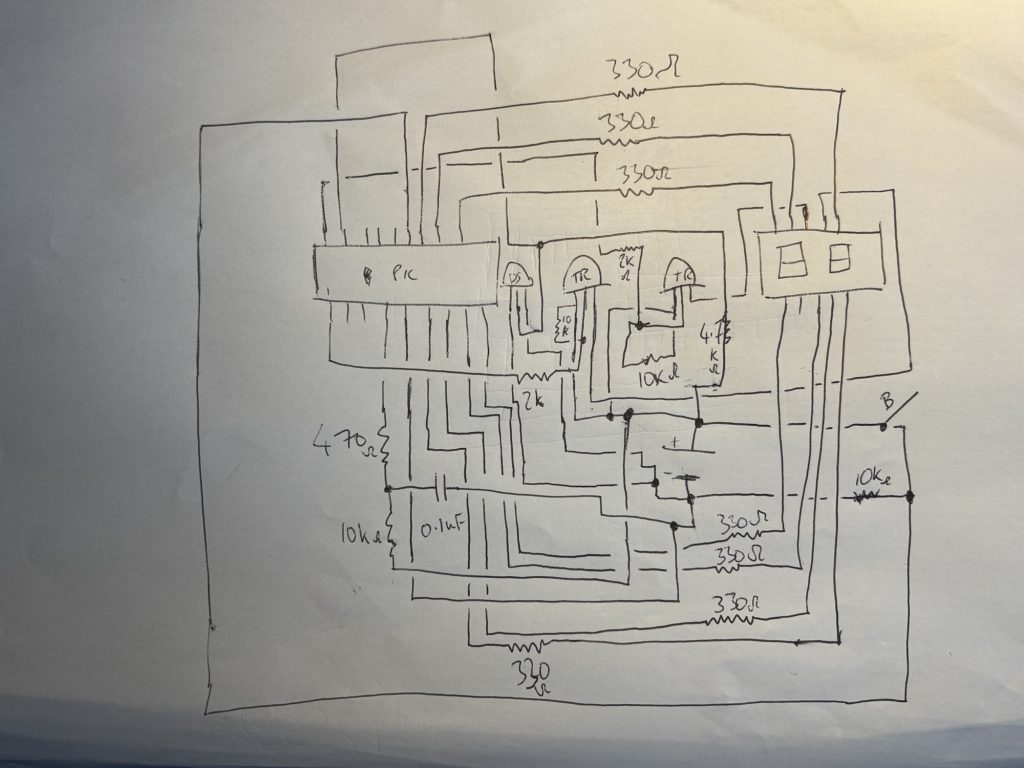
Schematic and design files
Please to remember to donate to me if you found this project useful for your needs 🙂
Enjoy!
COPYRIGHT AND TERMS OF USAGE (LISCENSE)
© Copywrite ODONO DESIGN 2026.
All code and design files are owned and Copyrighted by myself at ODONO DESIGN. You are free to use this file for personal, hobby or educational purposes only. No commercial use or reselling/redistributing of the content or design/code files found on this webpage of this project are permitted.
None of the content on this webpage (code and hardware designs) may be plagiarised to other websites. Failure to comply will result in legal action. Thank you.
This webpage is Copyright by Patrick O’Donoghue 2024. Temperature Monitor by Patrick O’Donoghue is licensed under CC BY-NC-ND 4.0
Disclaimer Notice: This is an educational tutorial only and I will not accept any responsibility for damage or harm to property and/or persons as a result of you following and building this tutorial project. You are responsible for your own safety and performing any safety tests if used commercially. Ideally we recommend this for use only in personal/hobby projects.
This is an educational tutorial for personal use only. Commercial use of this project is strictly prohibited. You must ensure you conduct the appropriate safety tests once you have made this. I will accept no liability for any death, injury, harm or damage to humans/property or animals as a result of you following this tutorial.
This is an untested project. This is for hobby and personal use only. We do not allow commercial use of this tutorial (ie selling it in an end product, but if you are making this for commercial purposes, YOU are responsible for all CE, FCC and safety testing according to your jurisdiction. We will not be held responsible for any fire, damage or injury caused by this project.
But as an example, personal uses for this could include:
Industrial systems, consumer products, systems which are sensitive thermally, thermostatic controls, and thermometers, monitor various environments and machinery, power plants, and manufacturing, weather stations and home automation systems, measure temperature in solids, liquids or gases, Laboratories, Diagnostic labs, Dairy Industries, Domestic or industrial refrigerator temperature monitoring, baby thermometer, HVAC, automotive, research and quality control, adult thermometer, room temperature monitoring, outside temperature logger, industrial and consumer goods/products, wireless temperature monitor, LCD/LED screen thermometer, temperature logger, farming, agriculture, office, home, manufactured goods, electronics engineering, embedded systems, integrated products, digital products, physical products, projects, end products, consumer goods, pcb design, printed circuit boards, plastic enclosures, remote temperature monitoring, motors, surface plates, home appliances, computers, industrial equipment, warning electrical radiators, exhaust gas monitoring on cars, food production, 3d printed chocolates, alcohol breathalyser, transit, hvac, power and utilities, calibration instrumentation, heat exchangers, heating cooling systems, energy, red sensor, etc thermistor, rtd sensors,
PIC16F628 assembly PIC assembly language tutorial PIC microcontroller vs Arduino PIC vs ESP32 DS18B20 PIC code 1-Wire protocol PIC PIC16F628 thermometer project PIC assembly firmware PIC microcontroller efficiency Why use PIC microcontrollers
cycle-accurate timing deterministic microcontroller code low-level embedded programming bare-metal programming PIC 1-Wire timing accuracy microcontroller power consumption interrupt-driven temperature reading embedded systems optimisation minimal instruction cycles lightweight firmware design
Arduino overhead Arduino timing limitations ESP32 FreeRTOS overhead Arduino digitalWrite speed ESP32 latency issues microcontroller bloatware embedded systems performance comparison
“How to read a DS18B20 temperature sensor using PIC assembly” “Why PIC assembly is more efficient than Arduino” “PIC16F628 temperature sensor project with code” “Best microcontroller for simple temperature projects” “Cycle accurate 1-Wire code for PIC microcontrollers” “How to bit-bang 1-Wire in PIC assembly” “PIC16F628 DS18B20 wiring and schematic” “Minimalist microcontroller temperature monitor” “Bare metal programming vs Arduino libraries” “Why my Arduino DS18B20 readings are unstable” “Optimised DS18B20 firmware for 20 MHz PIC” “How to create a reliable digital thermometer without Arduino” “Understanding PIC assembly timing for sensors”
Domestic Purpose, Check the temperature of the water before bathing, to check the temperature of food items for cooking, to measure the temperature of grill stands, ovens, and other heating appliances.
Laboratory Purpose
To check the temperature of a solution.
To check the room temperature or atmospheric temperature to carry out experiments.
Industrial Purpose
To measure the temperature of the inner and outer surfaces of the walls.
Food industries use them to monitor the temperature of food items during various stages of preparation. Especially in the baking and cooking industries, they are very useful. By taking the right temperature, it is possible to achieve the desired temperature where the microorganisms do not multiply.
TINY-Therm V3 Wireless Temperature Logger by ODONO DESIGN (DigitBox) © 2026 by Patrick O’Donoghue is licensed under CC BY-NC-ND 4.0


